run the night.
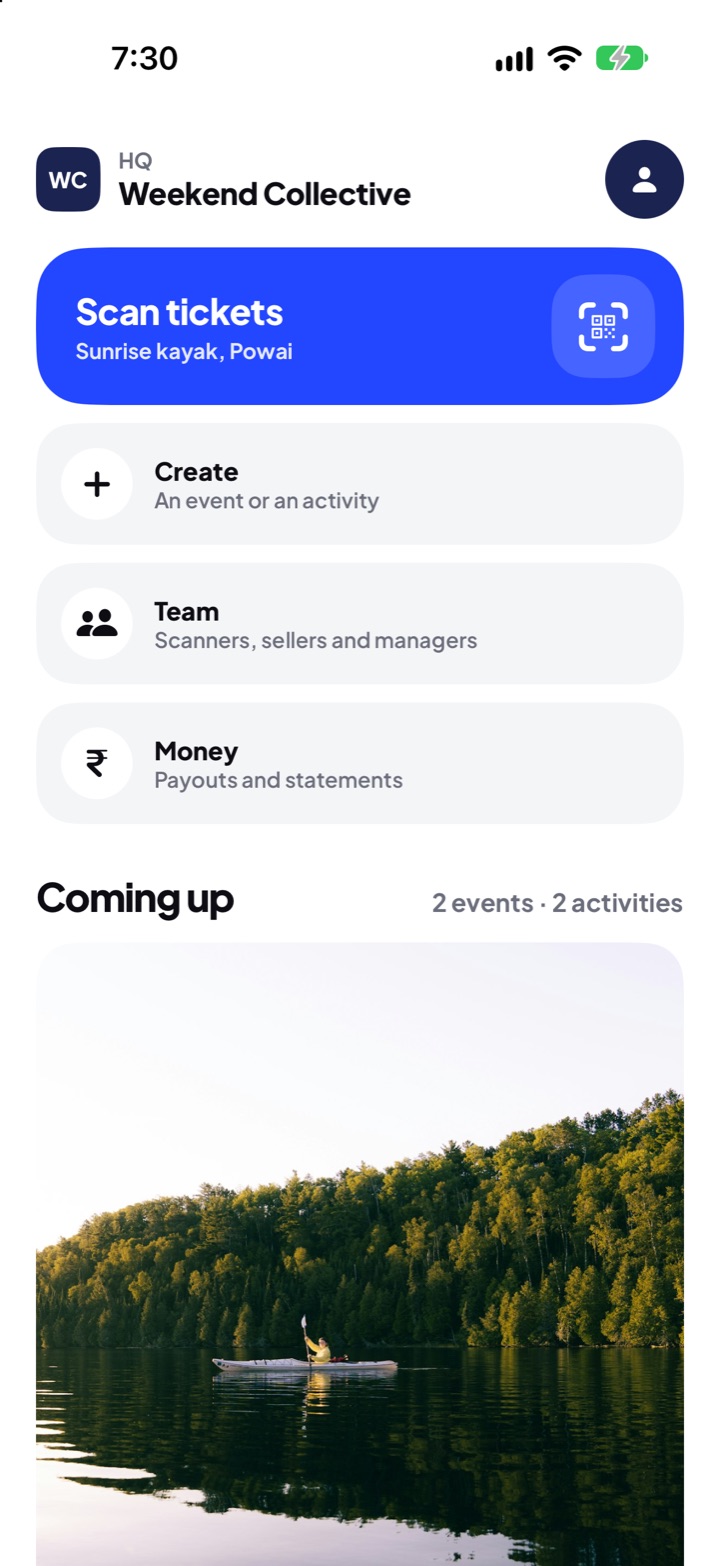
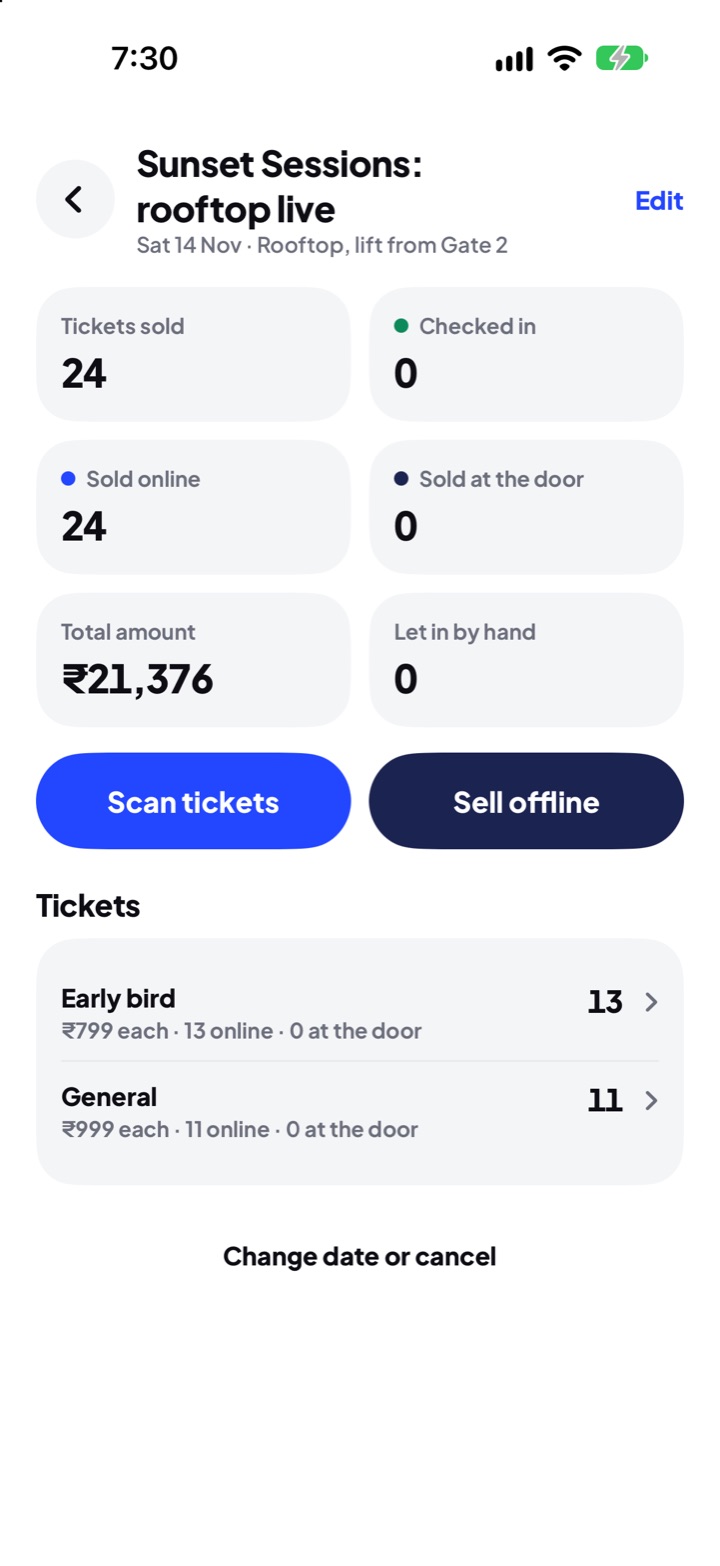
publish events, activities and courts. sell at the door. scan with any phone. watch your money come in.
- let in.general21:02
- sold at the door.general · upi21:07
- let in.general21:06
- let in.table · ₹5,000 cover21:06
whatever you host.
pick yours: what you set up, what guests get, when you’re paid.
you set
- ticket types, prices and how many, in your order
- early birds, couple entry and club cover
- when gates open, and the lineup
- door rules and your own terms
- which tickets can go to a friend
guests get
- your flyer, lineup and venue with directions
- clear prices before they pay
- a live code at the door
you’re paid within 48 hours after the night ends.
build a ticket.
early birds, couple entry, a club’s cover. change anything and see it as guests will.
guests can send it to a friend.
sign-up to sold out.
six steps, all in hq.
sign in with your phone
a code to your number. no passwords to remember.
set up your organisation
its name and logo, shown at the foot of every listing.
add your bank account
with its PAN, saved with a code sent to your phone. screens only ever show the last 4 digits.
make your first listing
an event in four short steps; an activity or a court on one screen.
ticketway takes a look
we check every listing before guests see it.
share, sell and scan
you’re live in the app. your team sells at the door and scans people in.
inside hq.
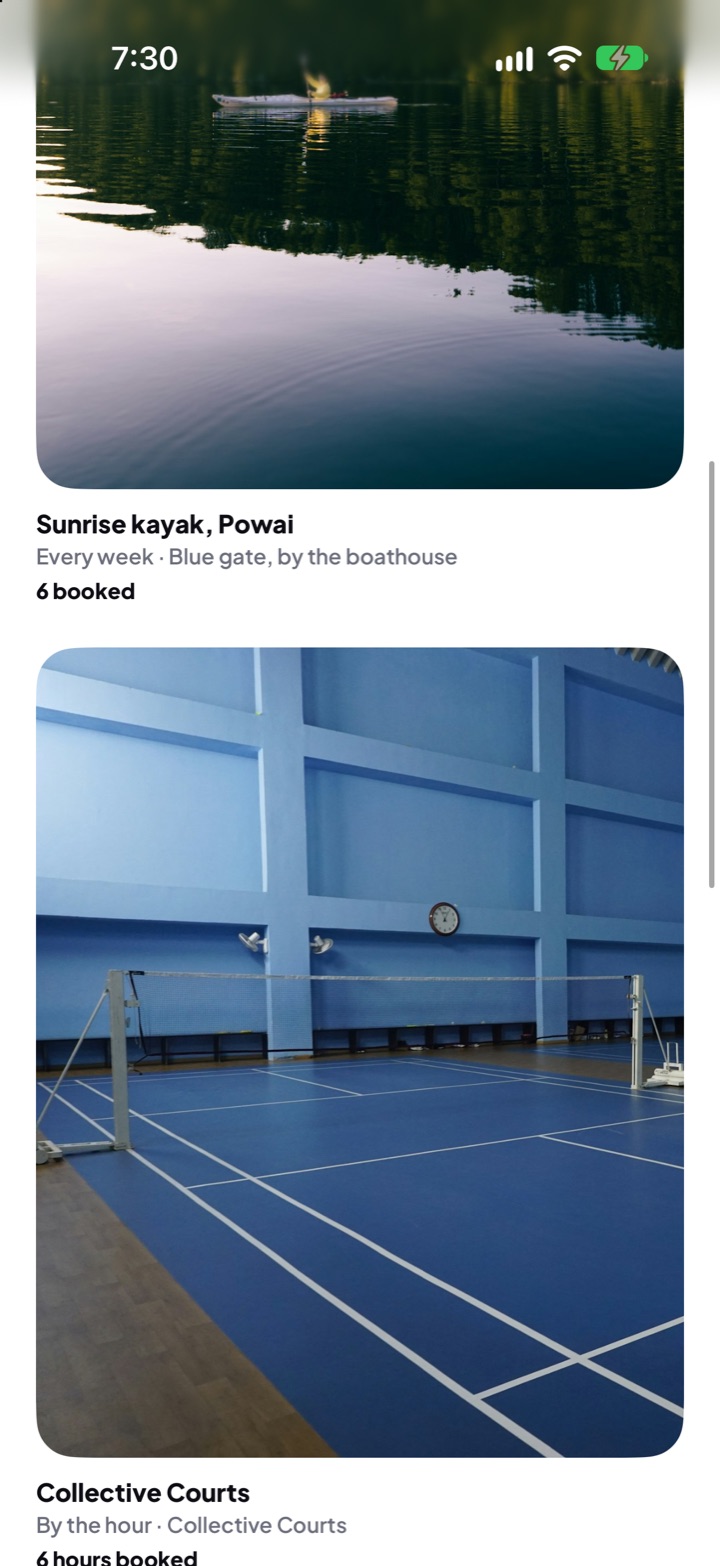
real screens. slide for more.
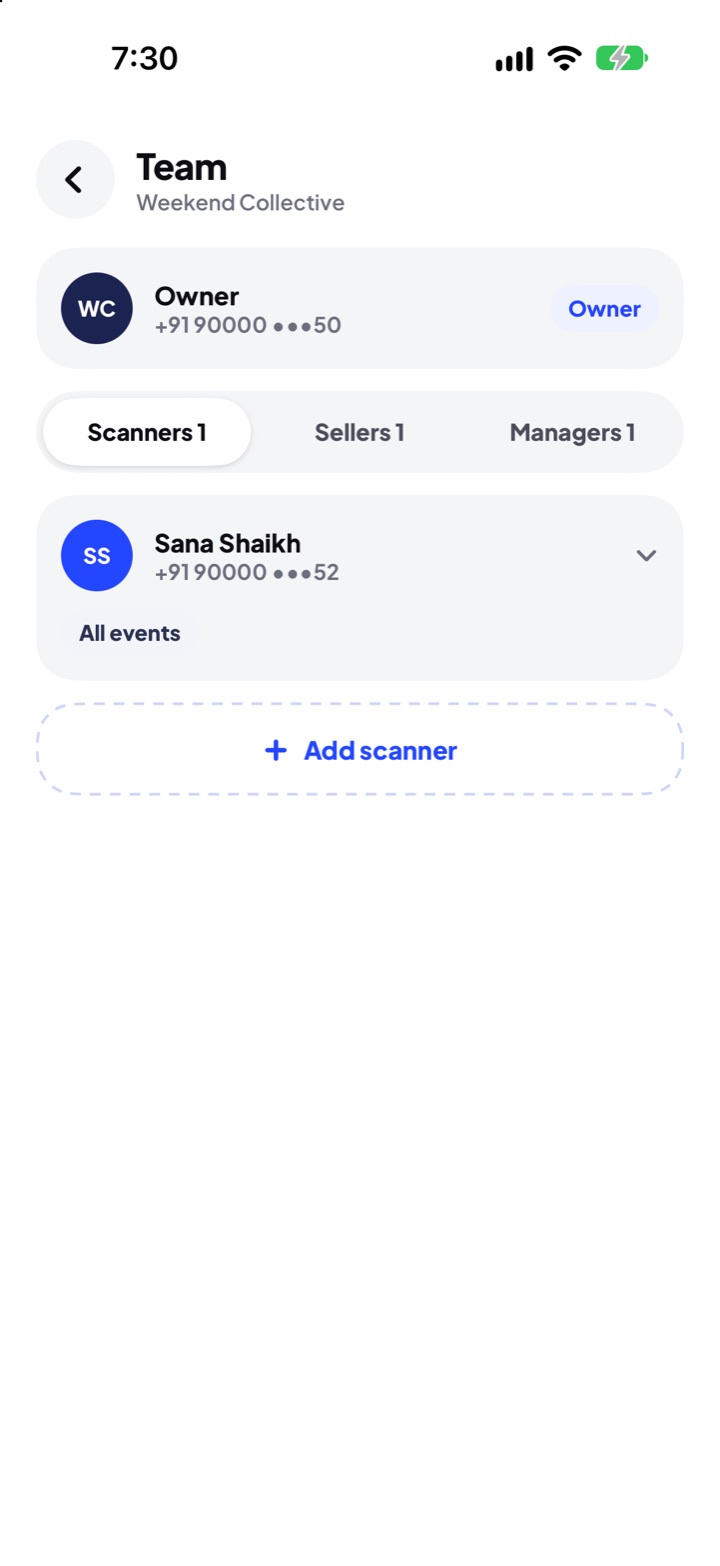
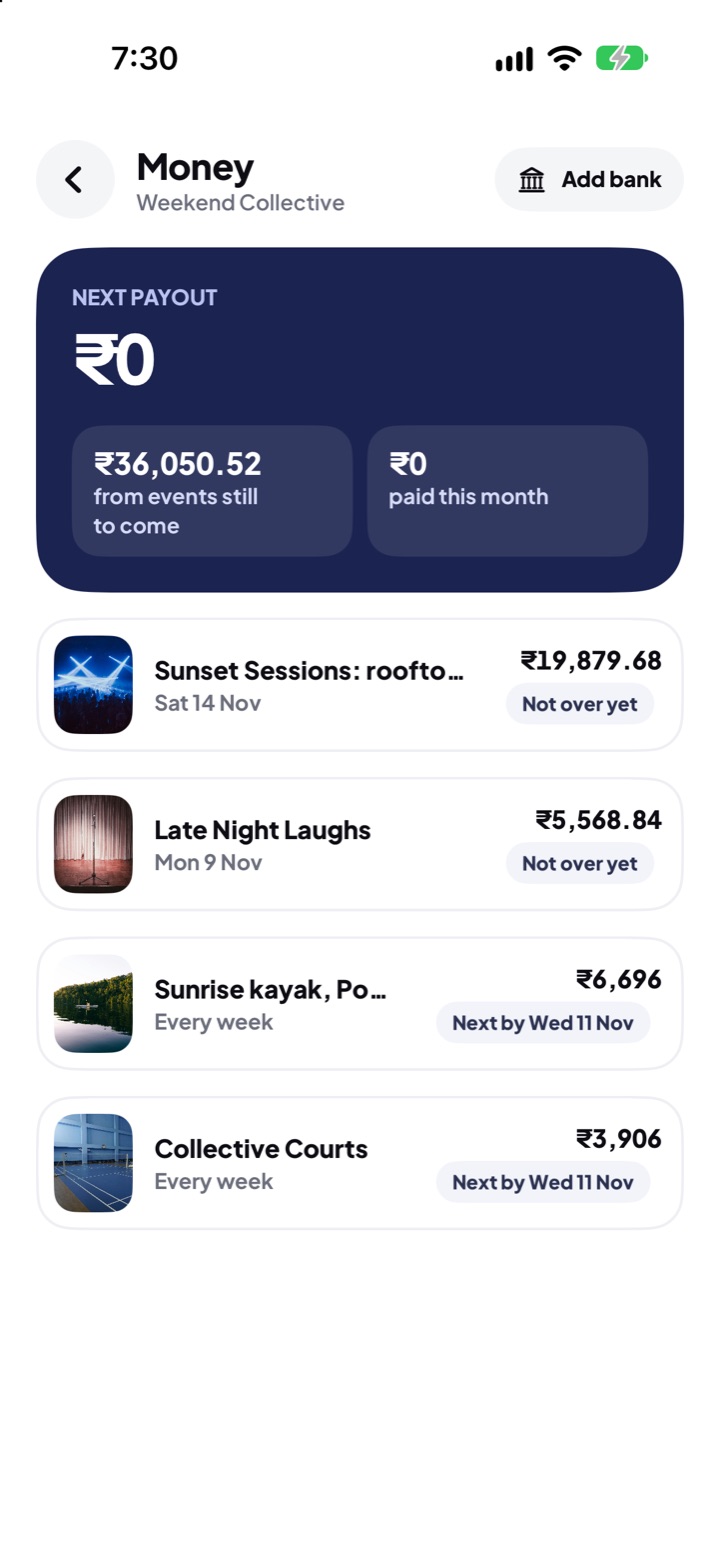
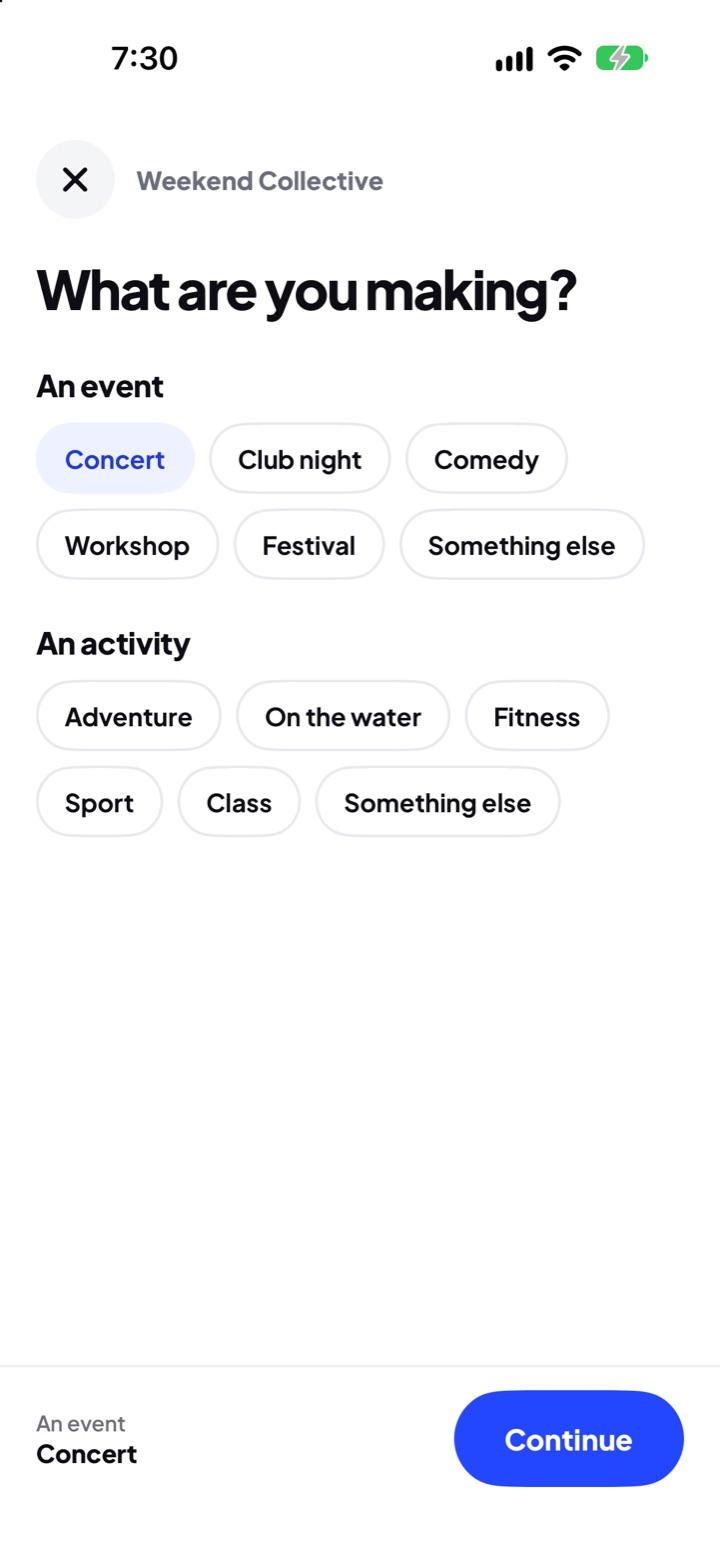
at the door.
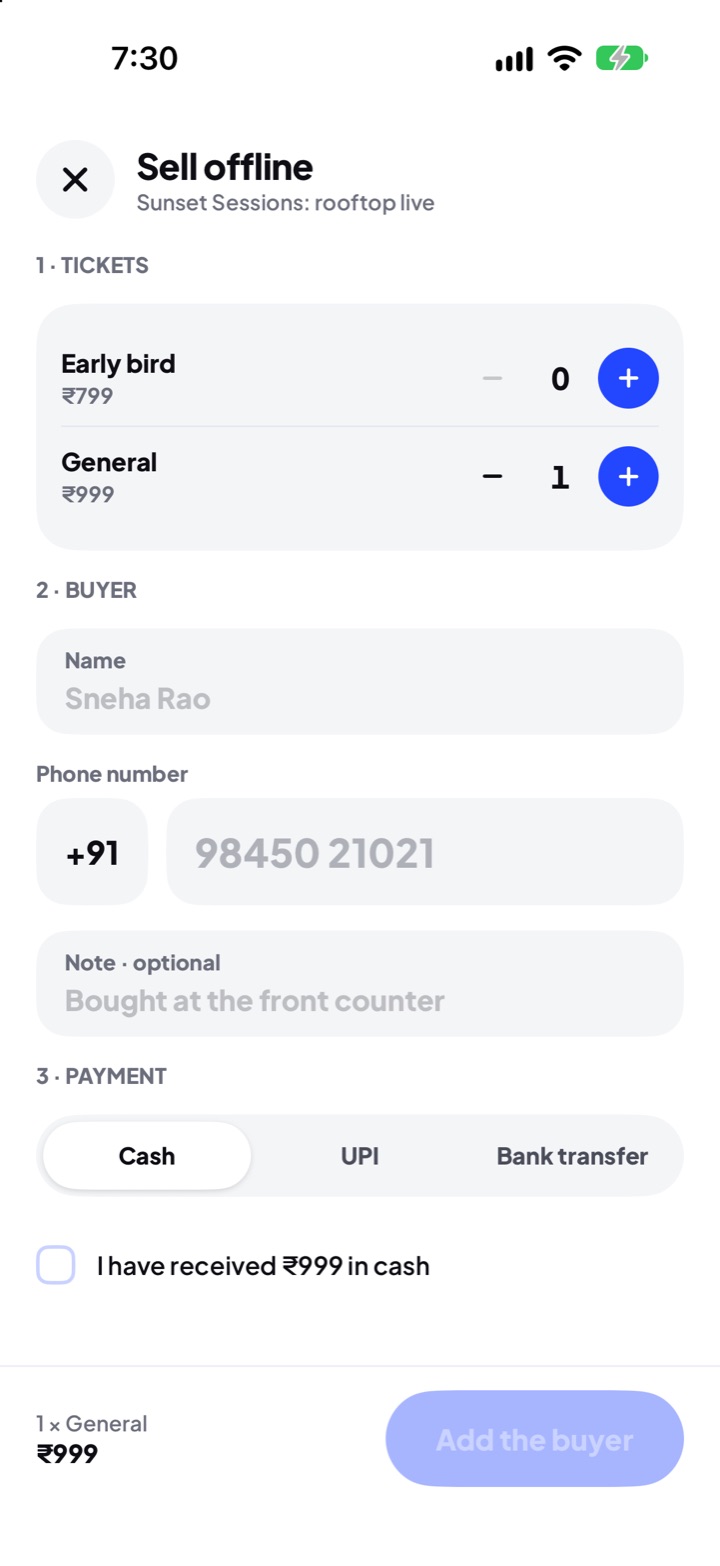
every phone on your team is a scanner.
- every phone, one gate. the first scan wins, so a ticket can’t get in twice.
- live codes stop screenshots and resold tickets.
- a box office in your pocket. sell to walk-ins for cash, UPI or bank transfer.
- find a guest by phone number when their battery has died.
general · 21:04
your team. your rules.
invite people by phone number. each one sees only what their job needs, for all your listings or just some.
owner
everything, including the bank account money is paid into.
manager
listings, guests, refunds and the team. the owner can switch money off.
seller
sells at the box office and lets people in.
scanner
scans tickets and finds a guest by phone number.
money, plainly.
every amount in hq adds up from the same ledger, to the paisa.
after the night ends, events are paid.
activities and courts are paid for the week before.
exclusive or non-exclusive: you pick in ticketway hq.
- refund a buyer from your guest list in a couple of taps.
- cancel and every online payment goes back to the guest by itself.
- changing your bank account needs a code to the owner’s phone.
fair to guests. safe for you.
the rules that keep guests coming back.
checked before it’s live
ticketway looks at every listing before guests see it, and again when you change what we check.
buyers keep what they paid for
once tickets are sold, the venue stays put and age limits can only widen.
a new date, done right
moving the date needs our OK. guests then get 7 days to refund if the new date doesn’t work for them.
questions from organisers.
what does it cost?
there are two plans: exclusive, when the events you list sell only on ticketway, and non-exclusive, when you sell them elsewhere too. you pick one when you set up ticketway hq, where you see what each costs.
when do i get paid?
events within 48 hours after the night ends. activities and courts every monday, for what ran the week before. ticketway checks a new organisation before its first payout.
can i run events, activities and courts together?
yes. one organisation can host all three, with one team and one bank account.
what if i need to cancel or move the date?
cancelling refunds every ticket in full: online payments go back by themselves, and you hand back money from offline sales. moving the date needs ticketway’s OK; tickets stay valid, and guests get 7 days to refund if the new date doesn’t suit them.
does scanning work without internet?
not yet. scanning needs a connection for now; an offline mode is planned.
can my team use their own phones?
yes. invite them by phone number. each person signs in on their own phone and sees only what their role needs.
how do i sign up?
partner sign-up opens soon, along with hq in the app store.
run what you host.
partner sign-up opens soon. hq on iphone first, android soon after.